A slow Shopify store costs you sales. Studies show: every extra second of loading time can reduce the conversion rate by up to 20%. Google considers loading speed a ranking factor. And customers who wait for loading often leave, often without returning.
The good news: most performance problems in Shopify stores can be systematically identified and fixed. This guide shows you step-by-step how to audit your store and eliminate the most common causes of slow loading times.
Step 1: Measure the status quo
Before you change anything, you need a reliable baseline measurement. Gut feelings don't help here; you need data.
The most important tools:
- Google PageSpeed Insights (pagespeed.web.dev): free, shows Core Web Vitals for mobile and desktop separately, with concrete improvement suggestions
- Shopify Speed Score: visible in the Shopify Admin under Online Store → Themes → Customize theme → top left. Shopify calculates this score based on Google Lighthouse
- GTmetrix: detailed waterfall chart, shows exactly which resources take how long to load
- WebPageTest: allows tests from different locations and connection speeds, good for DACH-relevant tests from Germany or Vienna
Core Web Vitals at a glance:
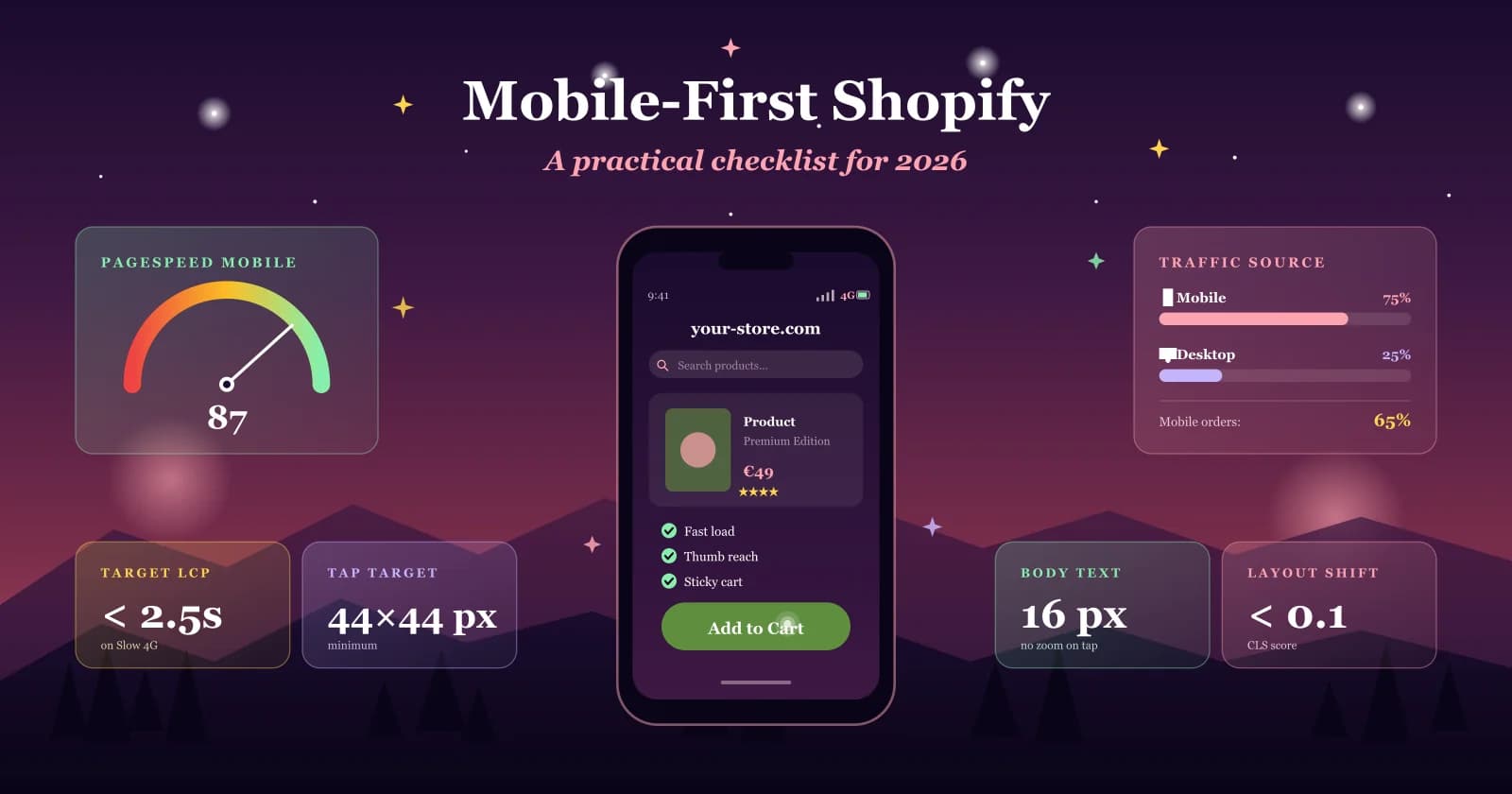
- LCP (Largest Contentful Paint): how long does it take for the largest visible element to load? Goal: under 2.5 seconds
- CLS (Cumulative Layout Shift): do elements jump during loading? Goal: under 0.1
- INP (Interaction to Next Paint): how responsive is the page to user input? Goal: under 200 ms
Always measure on mobile, as the majority of Shopify traffic comes from smartphones, and Google primarily evaluates the mobile version.
Step 2: Identify the most common causes
Shopify stores become slow for the same reasons. Here are the most common culprits:
Too many installed apps
Every Shopify app that displays something on the frontend loads data into your store, even if you hardly use it. 20 apps often mean 20 additional scripts, many of which slow down page loading. Go to your admin and count how many apps you have installed. Then ask yourself: Which ones do you really actively use?
Unoptimized images
The most common single problem. Product images of 5-10 MB uploaded directly from the camera are the fastest way to a slow store. Check with GTmetrix if large images are the bottleneck.
Too many scripts on the page
Every app, every tracking pixel, and every external tool running on your page loads additional code. Many of these scripts block the browser from building the page, especially older app integrations and manually added scripts.
Unnecessarily large theme
Premium themes are feature-rich, but that's exactly what makes them heavy. If you use 10% of a theme's functions and load 90% with it, you pay the performance price for features you never use.
External fonts
External fonts mean an additional load from an external server. With slow connections, this can cause noticeable delays. System fonts are always faster.
Outdated theme code
Inefficient theme code slows down server-side rendering, meaning your customers wait longer before they even see anything on the page.
Step 3: Fix the most common problems
You don't have to be a developer to implement many of these fixes. Here are the most effective measures, sorted by effort.
Reduce image size before uploading
This is the simplest fix with the biggest effect. Before uploading an image to Shopify, resize it with a free tool like Squoosh.app or TinyPNG. A product image should not be larger than 200-300 KB. If you upload images directly from the camera or Photoshop, they are often 10x larger than necessary.
Uninstall unused apps
Go to your Shopify Admin under Apps and see what's installed. Every app that displays something on your page loads data, even if you hardly use the app. A simple rule: If you haven't actively used an app in the last 90 days, uninstall it. You'll be surprised how much faster your store is afterwards.
Activate app blocks on the correct pages
Many apps are active on every page, even where they are not needed. In the Shopify Theme Editor, you can set for each page individually which app blocks are displayed. For example, a review app does not need to load on the homepage if it is only visible on product pages.
Reduce fonts
If your theme loads multiple external fonts, this costs loading time. In the Theme Editor under "Typography," you can switch to system fonts, which are fonts that are directly available on the user's device (like Arial or Georgia) and do not need to be loaded first. This sounds like a small detail, but it can save 200-400 ms of loading time.
Fewer functions on the homepage
Animated banners, countdown timers, live chat, newsletter pop-up, Instagram feed, product recommendations, all at once. Each of these functions costs loading time. Ask yourself for each element on your homepage: Does it really contribute to conversion? Less is often more here.
Use the Theme Editor instead of touching code
Many performance settings are already directly accessible in the Theme Editor without you having to touch a single line of code. Look under "Theme settings" for options such as "Lazy Loading," "Image quality," or "Disable animations." Many themes have these switches built in, and they make a real difference.
Step 4: Validate results
Measure again after each change. Run the PageSpeed test at least three times and calculate the average, as individual measurements can vary greatly. Document before/after values for LCP, CLS, and INP separately for mobile and desktop.
A realistic goal for a well-optimized Shopify store:
- LCP under 2.5 seconds on mobile with 4G
- Shopify Speed Score above 50 (above 70 is excellent)
- CLS under 0.1 - no sudden layout shifts
When an audit is no longer enough
Sometimes the problem is not a single fix; it's the theme itself. If a theme is structurally poorly built, brings too much unnecessary code, or is based on outdated architecture, you will eventually hit a hard limit with optimizations.
Typical signs that your theme is the actual problem:
- The Speed Score remains below 30, no matter what you optimize
- The theme was developed before 2021 and never fundamentally revised
- You are using a heavily customized premium theme that becomes more unstable with each update
- Every new function requires a new app because the theme offers no flexibility
In these cases, a Custom Theme is not a luxury solution; it is the more economically sound decision. A cleanly developed custom theme loads faster, is easier to maintain, requires fewer apps, and grows with your business.
At shoplab, we build Shopify themes from scratch, lean, performant, and precisely tailored to your brand and goals. No unused features, no bloated code. Learn more about our Shopify development here.
What a theme built from scratch does to load time and maintenance effort can be traced in the PERGOLUX store.
Conclusion: Speed is not a matter of luck
A fast Shopify store doesn't happen by itself. It's the result of conscious decisions: which apps are installed, how images are integrated, how the theme is structured, and how the code is built.
Start with the audit. Measure, identify, fix, and measure again. If you find that your theme is the bottleneck, that's not bad news. It's a clear diagnosis on which you can build - and if you want it checked from the outside, get in touch.